Battlefield 4 Digital Deluxe version for PC

Share
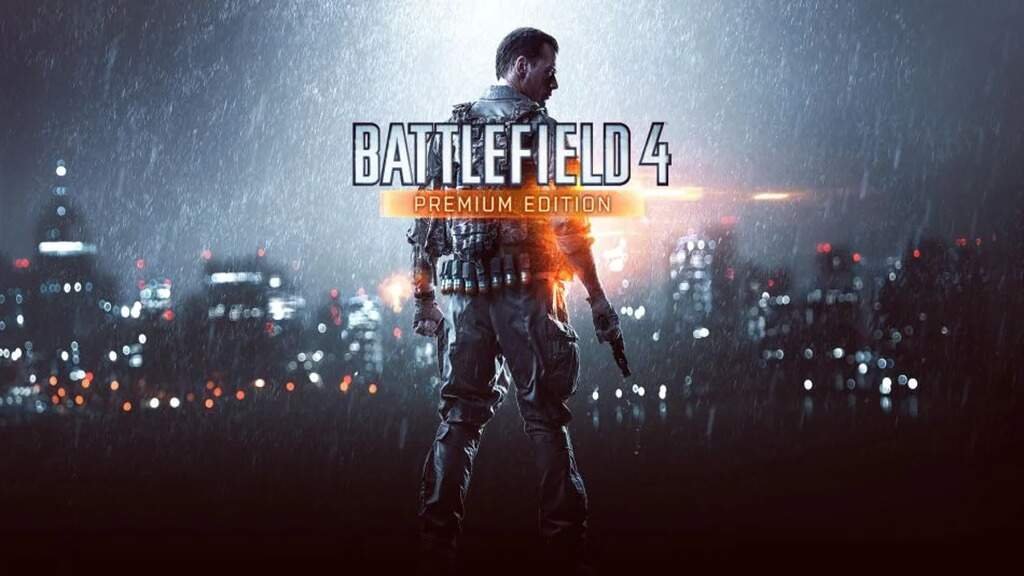
Battlefield 4 PC is a first-person shooter developed by DICE and published by Electronic Arts, released for PC in late 2013. Built on the Frostbite engine, the game expands on Battlefield 3 with larger maps, naval combat, advanced destruction systems, and improved multiplayer infrastructure.
The game is presently accessible for Microsoft Windows on GamesKnit.
Despite being released over a decade ago, Battlefield 4 remains a gold standard for large-scale FPS combat. While many players have transitioned to more recent titles, it consistently stays on the list of the best military FPS games on PC due to its unmatched destruction and vehicle gameplay. Powered by the Frostbite 3 engine, the game is remarkably well-optimized, allowing it to run on a wide variety of hardware—from budget laptops to high-end gaming rigs.
Gameplay Mechanics & Battlefield Identity
Battlefield 4 is built around sandbox warfare rather than linear gunfights. Every match is shaped by player decisions, vehicle dominance, map control, and how well teams adapt to changing conditions.
At its core, BF4 rewards PTFO (Play The Fing Objective). Flag control, spawn positioning, and coordinated pushes matter more than individual kill/death ratios, especially on Conquest and Rush modes.
The 2026 Experience: Mastery, Metas, and “ZouZous”
In 2026, Battlefield 4 is no longer a casual sandbox; it has evolved into a high-skill gladiatorial arena. Entering a server today means facing veterans who have been perfecting their recoil control for over a decade. To survive, you need to understand how the game is actually played in the modern era.
The “Glitch” Movement Meta
While the Frostbite engine was designed for “weighty” tactical movement, the 2026 pro-meta is defined by unintended movement exploits that have become standard skill checks.
- The ZouZou Jump: By exploiting vaulting animations, players can “teleport” or slide around corners at speeds that break enemy hitboxes. If you see an Assault player flying sideways toward you, you’ve just met a modern BF4 veteran.
- Vouzou & Slithering: Advanced techniques used to manipulate player models, making them nearly impossible to hit during a push.
- The Counter: High-RPM weapons like the AEK-971 or FAMAS remain the “meta” choice for countering these hyper-mobile players in close-quarters maps like Operation Locker.
The Server Landscape: “Badmins” & Fake Player Counts
Finding a game in 2026 requires more than just clicking “Quick Match.” The community is the lifeblood of the game, but it comes with unique challenges:
- Fake Player Counts: Many server owners use plugins to show “62/64” players in the browser when the server is actually empty. Pro Tip: Use the Better Battlelog (BBLog) browser extension or check the “Full Server Info” to see the real player list before joining.
- Community Rules: Be wary of “No Shotgun” or “No Stinger” rules. Private servers are often moderated by “Badmins” (bad administrators) who may kick you for outperforming them with certain weapons.
- Regional Hubs: While Asia has struggled with DDoS issues in recent years, North American and European “24/7” servers (Locker, Golmud, and Shanghai) remain packed with double-digit queues during peak hours.
Vehicle Mastery: The 100-0 Streak
In 2026, vehicle play has a stratospheric skill ceiling.
- The Little Bird: On Siege of Shanghai, a top-tier pilot is virtually untouchable. They utilize Below Radar to dodge lock-ons and rely on dedicated repair squads (engineers with torches) to maintain 100% uptime.
- Active Protection (APS) Timing: Modern tank battles aren’t about who has the bigger gun; they are about who baits out the enemy’s APS first.
Levolution & Destruction 2.0
One of Battlefield 4’s defining systems is Levolution — large-scale, map-altering events triggered during matches. The most famous example is the skyscraper collapse in Siege of Shanghai, which permanently reshapes sightlines, vehicle routes, and infantry flow.
Alongside this sits Destruction 2.0, which allows micro-destruction of walls, cover, and buildings. This system prevents static defense strategies and forces constant repositioning. Together, these mechanics ensure that no two rounds play the same way, even on familiar maps.
Multiplayer Systems, Netcode & Server Tick Rate
Multiplayer is the foundation of Battlefield 4’s longevity. On PC, private servers allow advanced configuration, including server tick rate settings that dramatically affect hit registration and responsiveness.
If you’re diving into the online experience, it’s worth exploring more titles that thrive on competitive and cooperative play. Our dedicated Multiplayer Games category brings together some of the best experiences where teamwork, strategy, and fast-paced action define the gameplay. From large-scale battles like Battlefield 4 to smaller, tactical encounters, you’ll find plenty of options to keep the adrenaline high and the matches engaging.
Netcode & Tickrate Explained
- 30Hz servers: Standard, functional but less precise
- 60Hz servers: Improved hit detection and smoother gunfights
- 120Hz servers: High-end competitive experience with tight input feedback
The term netcode is frequently discussed in the community because BF4’s feel changes significantly depending on server quality, latency, and network optimization. On well-maintained servers, Battlefield 4 still delivers some of the most consistent gunplay in the genre.
Classes, Roles & Tactical Depth
Battlefield 4 uses a four-class system, each with distinct responsibilities:
- Assault – Rifles, defibs, revive trains
- Engineer – Rocket launchers, vehicle counters, repairs
- Support – LMGs, ammo boxes, suppression
- Recon – Snipers, spotting tools, long-range control
Suppression, Spotting & Team Play
Suppression applies visual blur and accuracy penalties when bullets pass nearby, discouraging reckless exposure. Spotting enemies (Q key or controller bumper) places a 3D marker visible to teammates, reinforcing squad awareness.
“Blueberries” — teammates outside your squad — still benefit from coordinated spotting and revive chains, especially in choke-point battles.
Weapons, Recoil & Best Guns Meta
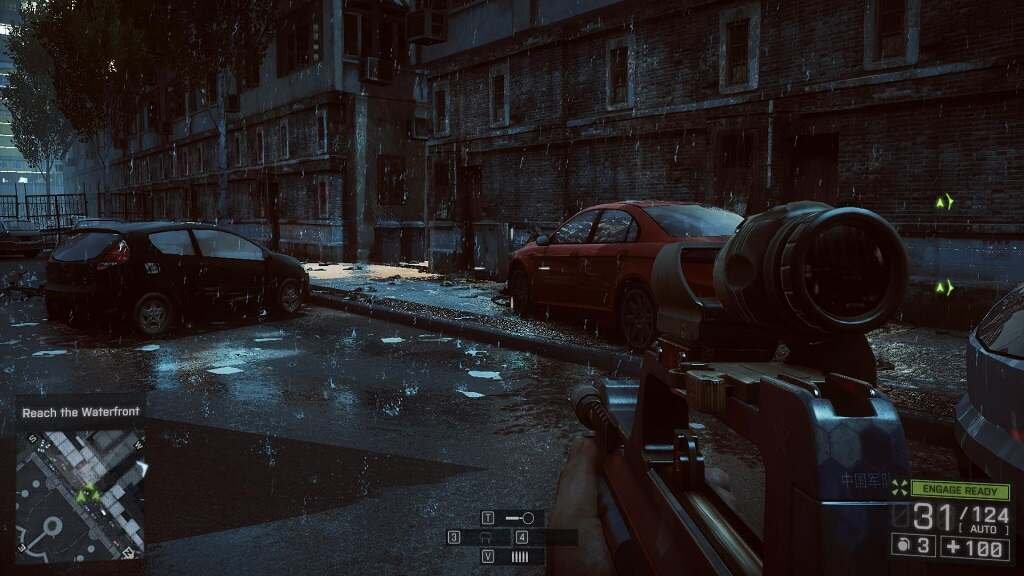
The Battlefield 4 PC weapons ecosystem is vast, with meaningful differences in recoil patterns, bullet spread, and engagement ranges. The game offers an extensive arsenal across all weapon categories. Selecting the Battlefield 4 best guns depends on engagement range, map design, and playstyle rather than raw damage values.
For accessibility, Battlefield 4 on PC with controller is fully supported. While mouse and keyboard provide superior precision for infantry combat, controller use is viable, especially for vehicles and casual play.
Gunplay Fundamentals
- Tap-firing is essential for long-range accuracy
- Full-auto fire increases spread rapidly
- Attachments significantly alter weapon behavior
While there is no single “best gun,” community favorites often emerge per class, especially among Battlefield 4 sniper rifles and assault rifles optimized for mid-range control.
Vehicles, Armor & Air Combat
Vehicles are not killstreaks — they are strategic assets.
Armor & Counterplay
- APS (Active Protection System) blocks incoming explosives
- Reactive Armor reduces explosive damage
- Mobility Hits cripple movement and turning
- Sabot Shells reward precision against heavy armor
Air & Naval Combat
Dogfighting requires mastery of below radar, flare timing, ECM jammers, and TV missiles. Naval combat introduces attack boats, RHIBs, and heavy Sea Titan firepower, expanding Battlefield 4’s combined-arms scope.
Battlefield 4 Single Player Campaign
The Battlefield 4 single player campaign focuses on cinematic set pieces rather than sandbox depth. While serviceable, it exists primarily as an introduction to mechanics and a vehicle for unlocking certain weapons. The real experience lives online.
Battlefield 4 on PC: Controls, Controller Support & Battlelog
Controller Settings on PC
Battlefield 4 on PC with controller is fully supported, though mouse and keyboard remain superior for recoil control and long-range accuracy. Controller players benefit most in vehicles and close-quarters infantry combat with adjusted sensitivity curves.
Battlelog Integration
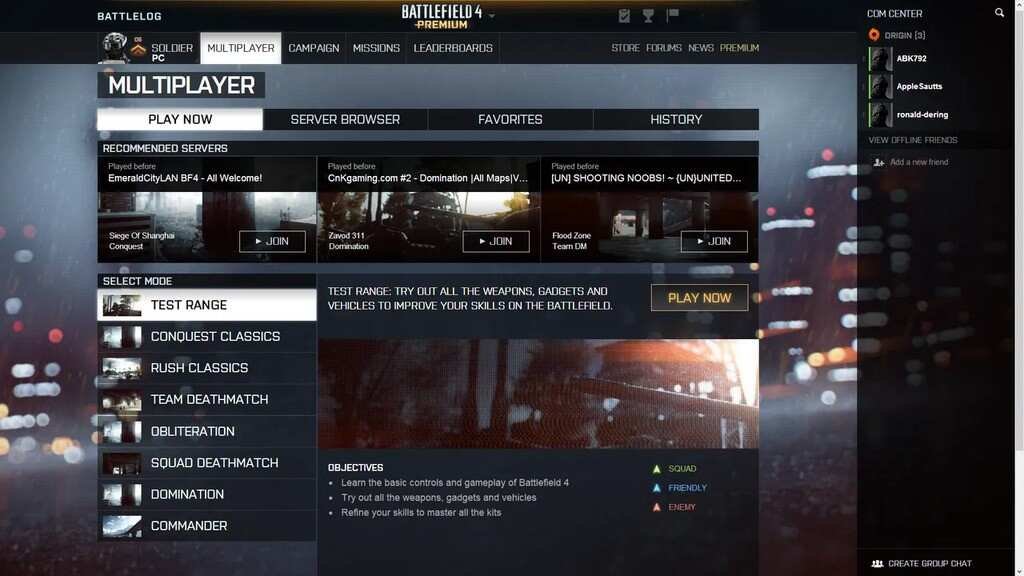
Battlelog allows server browsing, stat tracking, loadout management, and community interaction. It remains a central hub for PC players.
While Battlelog remains the core hub for PC players in 2026, keep in mind that the browser plugin system is increasingly finicky on modern versions of Chrome and Edge. Most players now use the ‘Join’ buttons via the in-game UI or rely on community-made fixes like ‘Better Battlelog’ to ensure the launcher triggers correctly.
Common PC Issues: PunkBuster & Connectivity
Some players encounter Battlefield 4 kicked by PunkBuster errors. These are typically resolved by updating PunkBuster services, firewall exceptions, or reinstalling anti-cheat components.
Server selection and latency awareness are critical for stable matches.
Pros & Cons
✅ Pros
- Highly Optimized: One of the best-optimized titles in the Frostbite engine history. Low-end hardware can still hit 60 FPS.
- Large Active Community: Despite its age, servers are still populated in 2026, making the hardware investment worth it.
- Visual Fidelity: On “Ultra” settings, the destruction and water physics still rival many games released this year.
❌ Cons
- The “PunkBuster” Factor: The anti-cheat is dated and frequently requires manual updates, which can be a hurdle for new players.
- Large Install Footprint: With all DLC, it takes up a significant amount of space (60GB+) for a game of its era.
- Steep Learning Curve: Since the remaining player base is veteran-heavy, you’ll need a stable framerate just to keep up.
Final Verdict – Is Battlefield 4 PC Still Worth Playing?
Battlefield 4 is a masterpiece that has aged like fine wine. Its hardware requirements are accessible, and the gameplay remains top-tier. However, if you find the “modern warfare” setting a bit too cluttered, you may want to revisit the classic Battlefield experiences on PC found in Bad Company 2. Players who prefer faster infantry-focused firefights over tanks and jets may want to explore modern Battlefield spin-offs on PC, such as Battlefield Hardline.
If you’re looking for a Battlefield experience focused on teamwork, sandbox chaos, and meaningful large-scale combat, the Battlefield 4 version for PC is still absolutely worth playing today.
FAQ – Battlefield 4 on PC
❓ Is Battlefield 4 a good game?
Yes. Battlefield 4 remains one of the strongest entries in the franchise, especially on PC. Its scale, destruction systems, and class-based gameplay still outperform many modern shooters focused on smaller, faster matches.
❓ Can I run Battlefield 4 on my PC?
Most likely, yes. Battlefield 4 was released in 2013, and its system requirements are very low by today’s standards. Even budget or older PCs can run it smoothly with adjusted settings.
❓ Can Battlefield 4 run on a low-end PC?
Absolutely. With a modest dual-core CPU, 4 GB of RAM, and an older GPU, Battlefield 4 runs well on low-end systems, particularly if visual settings are lowered.
❓ Is Battlefield 4 still active in 2026?
Yes, Battlefield 4 remains active in 2026 thanks to a dedicated community of private server providers on PC, Xbox, and PlayStation. While official DICE support has shifted, dozens of 64-player BF4 servers stay populated 24/7. To find the best matches, veterans recommend using Battlelog with a “True Player Count” plugin to bypass spoofed numbers and join the most stable modern warfare sandbox experience available today.
If you want Battlefield 4 on your PC, click on:

Installation instructions for Battlefield 4 version for PC:
- Unrar
- Install the game
- Open /Activation directory on your game install directory and take the registration code
- Enter the registration code
- Enjoy the game !
- Support the software developers.
Battlefield 4 System Requirements (2026 Update)
Despite being released over a decade ago, Battlefield 4 remains a gold standard for large-scale FPS combat. Powered by the Frostbite 3 engine, the game is remarkably well-optimized, allowing it to run on a wide variety of hardware—from budget laptops to high-end gaming rigs.
Minimum System Requirements
These specs will get the game running, but you should expect to play at 720p resolution on Low settings to maintain a playable framerate.
- OS – Windows 7/8/10/11 (64-bit recommended)
- Processor (AMD) – Athlon X2 2.8 GHz
- Processor (Intel) – Core 2 Duo 2.4 GHz
- Memory (RAM) – 4 GB
- Graphics Card (AMD) – AMD Radeon HD 3870
- Graphics Card (NVIDIA) – NVIDIA GeForce 8800 GT
- Dedicated Video RAM – 512 MB
- Storage Space – 30 GB (Base Game)
Recommended System Requirements
For a smooth 1080p/60 FPS experience on High to Ultra settings and the best Battlefield 4 PC download experience, these are the targets you should aim for:
- OS – Windows 10/11 (64-bit)
- Processor (AMD) – Six-Core CPU (e.g., FX-6300 or Ryzen 3/5)
- Processor (Intel) – Quad-Core CPU (e.g., Core i5-4670 or better)
- Memory (RAM) – 8 GB
- Graphics Card (AMD) – AMD Radeon HD 7870
- Graphics Card (NVIDIA) – NVIDIA GeForce GTX 660
- Dedicated Video RAM – 3 GB
- Storage Space – 60 GB+ (Includes all DLC/Premium expansions)
Pro Tips for 2026 Players (Technical Guide)
Note from the Editor: While the official specs haven’t changed, how the game interacts with modern hardware has. Use these tips to ensure a crash-free experience on Windows 11.
- SSD vs. HDD: Modern SSDs are now the standard. While BF4 fits on a 30GB partition, the full Premium Edition is closer to 60GB. Installing on an SSD is mandatory to avoid the “Infinite Loading” bug and to ensure you spawn in before the match starts.
- Fixing “DirectX Error” on Windows 11: Battlefield 4 often looks for legacy files that Windows 11 doesn’t install by default. If your game won’t launch, download the DirectX End-User Runtimes (June 2010) from Microsoft’s official site.
- Maximize Your High Refresh Rate: BF4 is incredibly stable at high frame rates. If you have a 144Hz or 240Hz monitor, even a modern entry-level card like an RTX 3050 can maintain a locked 200+ FPS on Ultra settings. This level of optimization is rare even among other FPS games with active multiplayer like Rainbow Six Siege, making BF4 a dream for competitive players on older hardware.
- Stay Connected (PunkBuster Fix): If you get kicked shortly after joining a server, it’s likely an anti-cheat mismatch. Visit Even Balance and download PBSetup to manually update your PunkBuster services.
Battlefield 4